
Saldo: Bill & Invoice Maker
Saldo AppsBusiness
4.795.00 Reviews
- Version
- 4.3.3
- Installs
- 100.00K
- Age Rating
- Everyone
Screenshots
Our Review of Saldo: Bill & Invoice Maker
 Analysis by Appyee
When I need to send a quick bill without opening a laptop, Saldo: Bill & Invoice Maker makes the task feel pleasantly direct. I see it as a practical business app for freelancers, tradespeople, consultants, and small operators who want to create simple invoices and estimates while away from a desk. Its main strength is not an enormous accounting toolkit; it is the ability to turn a customer request into a usable document before the moment has passed.
That focus matters more than it may sound. A full accounting platform can be the right choice for bookkeeping, tax preparation, inventory, and detailed financial reporting, but those systems often feel excessive when all I need is a clear estimate or invoice. Saldo sits closer to a mobile document-making tool. I can use it when a customer asks for a price after a visit, when a completed job needs billing before I drive away, or when I want to keep small-business paperwork moving from my phone.
Why creating an invoice on the spot is the real feature
The central capability is mobile invoice and estimate creation. In my experience, the value comes from reducing the gap between agreeing on work and documenting that agreement. Instead of writing figures in a message and promising to prepare a formal document later, I can build the estimate while the details are still fresh. That makes the app useful not only for sending bills, but also for making a customer conversation more concrete.
An estimate has a different job from an invoice. It helps a client understand the expected work and cost before committing, while an invoice records what is owed after the work is complete. Keeping those moments separate is a small but important workflow improvement. I would use an estimate when discussing a repair, design project, lesson package, or home service, then create the invoice once the final scope is known. That separation helps avoid the common mistake of treating an early price discussion as a final bill.
Saldo is developed by Saldo Apps and belongs in the business category, but I would not approach it as a replacement for a complete accounting department. Its appeal is the narrow, useful job it handles on a phone. The app is free to download, with in-app purchases listed from $4.99 to $119.99 per item, so I would check which functions are included before relying on it for a larger operation. The free starting point makes it easy to test whether its workflow suits the way I work.
The app has reached a 4.7 average from around 1.1 thousand ratings and more than 100 thousand installs. Those figures suggest that the basic idea resonates with a meaningful group of mobile business users, although popularity alone would not decide my choice. What matters is whether the app matches the complexity of my billing process. Someone sending a handful of straightforward documents each month may get more value from speed than from a long list of advanced accounting controls.
Turning a customer conversation into a usable document
The most useful way to think about this app is as a bridge between field work and administration. A painter can discuss rooms and materials at a property, a tutor can outline a package after a session, and a freelance editor can confirm a project scope during a call. In each case, the estimate becomes part of the conversation rather than an office task postponed until later.
That immediacy can also improve accuracy. When I prepare a document immediately after discussing a job, I am less likely to forget a small line item, confuse one customer with another, or remember an agreed amount incorrectly. This is not a substitute for checking the document, but it changes the workflow from “remember everything later” to “record the important details while they are visible in my mind.”
A useful habit is to treat the estimate as a checklist, not merely a price. I would include each meaningful part of the work separately instead of hiding everything in one vague total. That makes it easier for a customer to understand what is included and easier for me to spot an omission before the document is sent. It also creates a cleaner path to the final invoice when the work changes.
What using it on a phone feels like
Mobile billing succeeds when the process is short enough to complete between other tasks. I would expect the main work to be entering customer details, adding the relevant work or products, reviewing the amount, and producing the document. The smaller the job, the more important that sequence becomes. If preparing a simple invoice takes nearly as much effort as the service itself, the app loses its main advantage.
For a realistic example, imagine I repair a leaking tap for a homeowner. Before leaving, I can prepare an estimate for parts and labor if the repair is still pending. If the work is finished, I can instead create an invoice that reflects what was actually done. The practical benefit is that the customer receives a clearer record while the appointment is still active, and I do not have to reconstruct the visit from memory at the end of the week.
I would still pause for a final review before sending anything. Mobile screens encourage fast tapping, and a typo in a customer name, an omitted service line, or an incorrect amount can make a professional document look careless. My advice is to use the app for speed, but reserve a few seconds for checking the recipient, description, totals, and payment expectations.
Another useful workflow is preparing estimates before a busy day. If I already know the common services I offer, I can think through the likely line items in advance rather than composing everything under pressure. The app then becomes a field tool instead of an emergency calculator. This is especially helpful for businesses that repeat similar jobs but still need each estimate to reflect the individual customer.
The best fit: small service work with simple billing
The strongest scenario is a solo professional or very small business that needs clean documents without carrying a computer. Consider a mobile cleaner who visits several homes, a photographer meeting clients, or a contractor moving between sites. These users benefit from being able to handle estimates and invoices at the point of contact, where delays are most noticeable.
For a freelancer, the app can also create a useful boundary between casual conversation and formal agreement. A message saying “the project should cost about this much” is easy to misunderstand. An estimate gives the discussion a document that can be reviewed before work begins. If the scope changes, I would make sure the updated amount is reflected clearly rather than assuming the original figure still applies.
It is also a sensible option for someone starting a small side business. New operators often need a professional-looking billing routine before they are ready to pay for a broad financial suite. Starting with a focused tool can be less intimidating than learning a system designed around payroll, reconciliations, stock control, and reports. The trade-off is that growth may eventually require moving to something more comprehensive.
One non-obvious benefit is the discipline created by making an estimate before beginning work. It encourages me to define what the customer is actually buying, identify uncertain costs, and notice when a request is too vague to price responsibly. In that sense, the app can improve the sales conversation as much as the paperwork afterward.
Where the simple approach starts to show limits
The same focus that makes Saldo approachable can make it less suitable for complicated operations. If I need detailed bookkeeping, extensive financial reports, inventory management, payroll, or a sophisticated tax workflow, I would look toward dedicated accounting software instead. An invoice maker can document money owed, but documentation is not the same as managing the full financial life of a business.
I would also be cautious if several people need to work on the same customer records or billing process. A solo user can make decisions quickly, while a team may need shared controls, approval steps, consistent templates, and a central history of changes. Before adopting any mobile-first tool for a growing company, I would test how well it fits the team’s handoffs rather than judging it only from the speed of creating one document.
The in-app purchase range is another reason to examine the workflow before committing to a long-term process. A free app is attractive for testing, but the features a business eventually depends on may sit behind paid options. I would begin by creating a few sample estimates and invoices, checking whether the resulting process feels natural, and then deciding whether the available purchase options make sense for my volume and needs.
There is also a human limitation: speed can encourage underthinking. When I can produce an estimate quickly, I may be tempted to accept an unclear request and fill in the gaps later. That is risky. A fast document is only useful if the scope, quantities, and expectations are correct. I would use the app to capture decisions, not to avoid making them.
Practical habits that make the app more dependable
My first tip is to separate estimates from final billing in my own routine. I would label the stage of each document clearly in my mind and review it before sending. This prevents a preliminary figure from being treated as a final charge, especially when materials or labor could change after the initial conversation.
My second tip is to write descriptions that another person can understand. “Repair work” may be enough for my memory, but it is weak documentation for a customer. A more useful description identifies the actual task in plain language. That small effort reduces follow-up messages and gives both sides a better record of what the amount represents.
My third tip is to use the app immediately after the work rather than batching everything at night. Batching may seem efficient, but it creates opportunities for forgotten details and mixed-up customer information. Creating the document while I am still near the job makes the app’s mobile design work in my favor.
My fourth tip is to keep a separate habit for broader financial records. I would not assume that producing invoices alone gives me a complete view of revenue, expenses, taxes, or outstanding balances. If those areas matter to my business, I would pair the app with an appropriate accounting routine or choose a more expansive platform. Saldo can be the front door for billing without being the entire back office.
Someone may also wonder whether it is suitable for a personal, occasional sale. It can make sense when the transaction needs a proper business document, but the app is aimed at business use rather than casual note-taking. For a single informal exchange, a simple written receipt may be faster. The value increases when I regularly need estimates and invoices that look consistent and can be prepared away from a desk.
Who should install it, and who should choose another tool?
I would recommend Saldo to independent workers who bill directly, especially those who spend much of the day traveling, visiting customers, or working on location. It is also worth considering for a new business owner who wants to establish a straightforward estimate-and-invoice habit without immediately learning a large accounting system. The Everyone content rating and support for devices running Android 8.0 or later make it accessible to a broad range of users on compatible phones.
I would be more hesitant to recommend it as the only financial system for a company with complex operations. Businesses that need deep reporting, multiple staff roles, extensive integrations, or a detailed record of every financial transaction should compare it with full accounting platforms. In those cases, the convenience of mobile document creation may not compensate for the extra systems needed around it.
The current version is 4.3.3, and the app has been available since January 11, 2019. I would treat that history as a reason to test the current experience rather than as a guarantee that it will fit every workflow. Apps evolve, and my own billing needs may evolve faster. The important question is whether the present version handles the documents I actually send, with the level of control I genuinely require.
After using it as a focused business tool, my opinion is favorable but specific. Saldo is at its best when the problem is not “How do I run all my company finances?” but “How do I create a clear estimate or invoice right now?” That distinction keeps expectations realistic. If immediate, simple billing is the bottleneck in your workday, this app can remove it without making the task feel like accounting homework.
I would start with the free option, recreate a typical customer job, and judge the result by the complete workflow: entering the details, checking the document, and fitting it into the way I follow up with clients. If that process feels faster and clearer than my current notes, messages, or desktop routine, Saldo earns a place on my phone. If my business already needs comprehensive financial management, I would choose a broader solution and use a specialized invoice maker only if its focused speed still adds value.
Verdict
Strengths of Saldo: Bill & Invoice Maker
- Creates professional invoices quickly from a phone.
- Supports recurring invoices for regular clients.
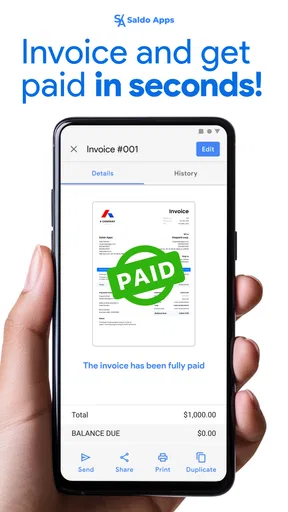
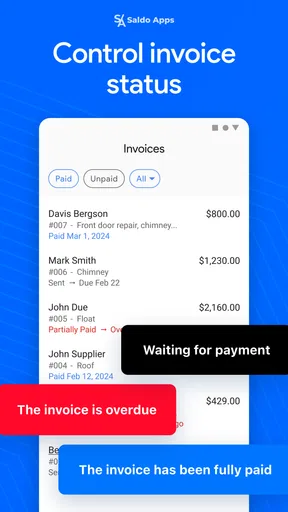
- Tracks payment status to identify overdue bills.
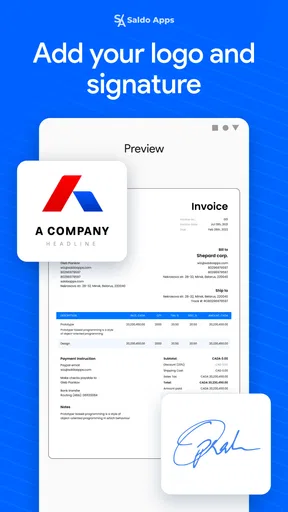
- Lets you add business details and branding.
- Useful for freelancers and small businesses on the go.
Limitations of Saldo: Bill & Invoice Maker
- Some advanced features may require a paid subscription.
- Limited customization compared with full accounting software.
- Tax and currency tools may vary by region.
- Large client lists can be harder to manage on mobile.
- Does not replace comprehensive bookkeeping or expense tracking.
Similar Picks in This Category
View All
LinkedIn: Community & Network
LinkedIn3.8

Zoom Workplace
zoom.com4.1

Microsoft Teams
Microsoft Corporation4.6

Meta Business Suite
Meta Platforms, Inc.4.6

Webex Meetings
Cisco Systems, Inc.4.5

TeamViewer Remote Control
TeamViewer4.4
Frequently Asked Questions
What is Saldo: Bill & Invoice Maker used for?
Saldo: Bill & Invoice Maker is designed to help freelancers, small businesses, and independent professionals create and manage invoices, bills, estimates, and payment records from a mobile device. During testing, its main appeal was the ability to prepare professional-looking documents without needing complex accounting software. It is especially useful for users who want a simple way to organize customer details, itemized services, totals, and payment information while working remotely or on the go.
Can I create professional invoices and customize them in Saldo?
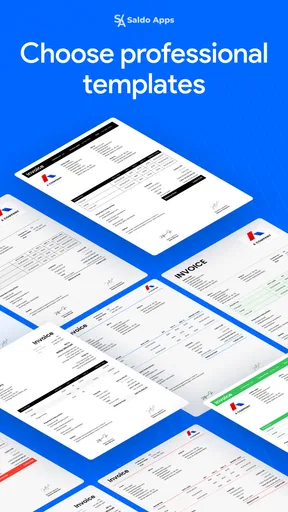
Yes, the app allows users to build invoices by entering client information, products or services, quantities, prices, taxes, discounts, and payment terms. Depending on the available template and account options, you may also be able to add business information, branding elements, and notes. The customization is aimed at everyday business use rather than advanced accounting design, but it is generally sufficient for sending clear, organized invoices to customers.
Does Saldo: Bill & Invoice Maker support estimates, receipts, or other documents?
Saldo is intended to cover more than basic invoice creation. Users can typically prepare estimates or bills before a job is completed and keep records related to payments and completed transactions. This can make the app useful for service providers who need to send a quote first and convert that information into a final invoice later. Available document types and features may vary by version, region, or subscription plan.
Can I send or share invoices directly with customers?
After creating an invoice, users can generally share it through common options available on their phone, such as email, messaging applications, or by exporting the document as a file. This makes it practical for freelancers and small businesses that need to deliver invoices quickly. Before downloading, check whether PDF export, unlimited sharing, custom templates, or removal of branding are included for free or require an in-app purchase.
Is Saldo: Bill & Invoice Maker free to use, and is my business data secure?
The app may offer free invoice-making tools, but some advanced features can be restricted behind subscriptions or in-app purchases. These may include premium templates, unlimited documents, additional customization, or extended customer and product management. Because invoices can contain names, addresses, prices, and payment details, review the app’s privacy policy and requested permissions before use. Also, keep independent backups of important financial records rather than relying only on the app.
